Free to-do list template for Excel
An automated to-do list in Excel. Type a task, set who owns it and when it is due, and double-click to tick it off. When your list grows into a project, it already has owners, costs and a dashboard waiting.
Excel 2007–2019 on Windows · Excel 2016–2019 on Mac · Microsoft 365
A to-do list that keeps up with you
Checking tasks off a list feels good. A plain list in Excel stops being useful the moment you need to know who is doing what, by when, and what it costs. This template is built on Task Excel, so it starts as a simple list and has the rest ready when you need it.
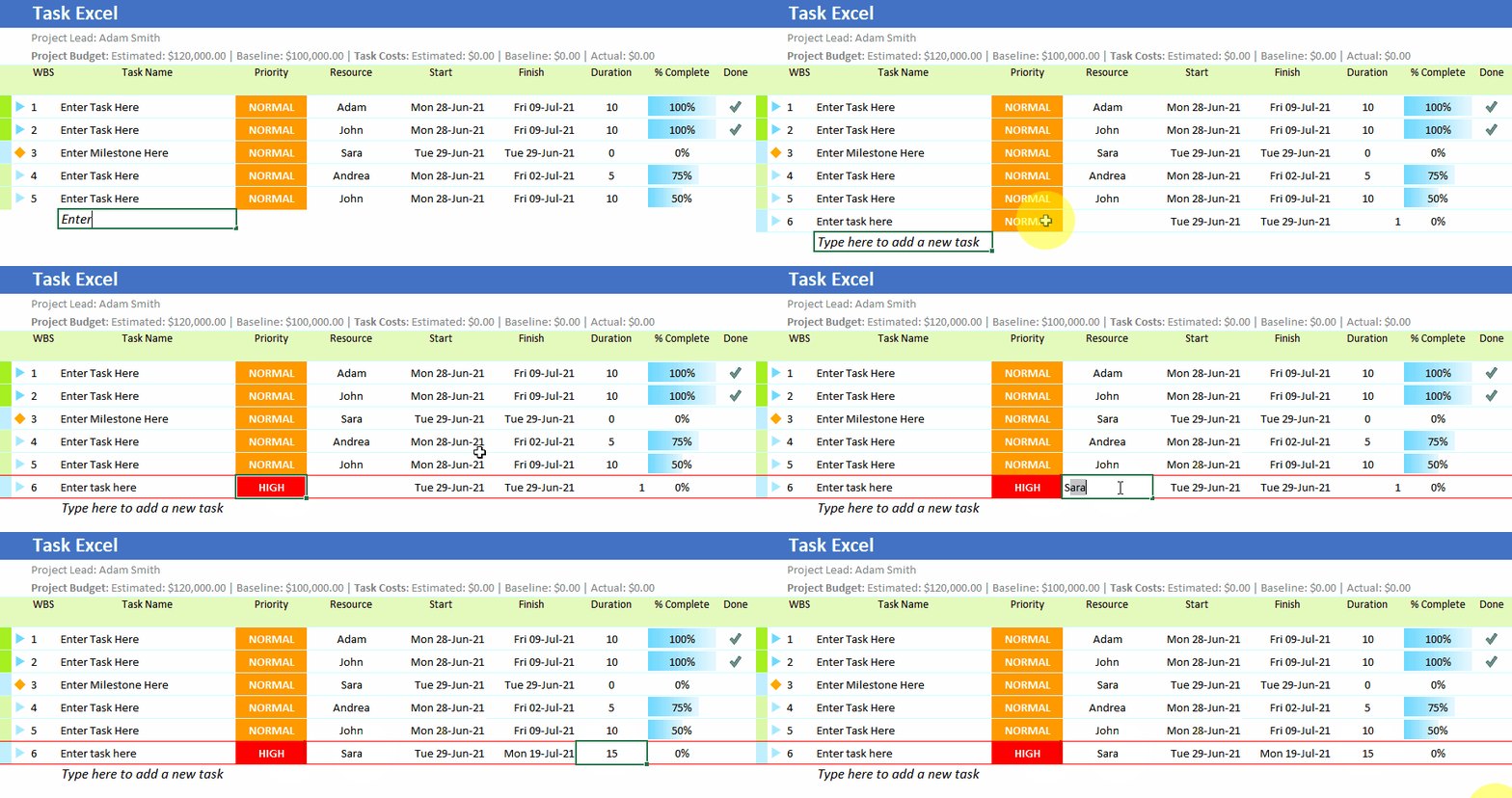
Add a task in one line
Type in the last row, the one that says “Type here to add a new task”, and press Enter. The task is added and numbered for you.

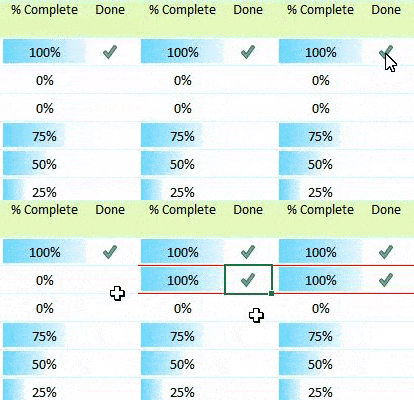
Tick it off with a double-click
Double-click the Done cell to mark a task complete. Progress bars update as you go.
Give every task an owner
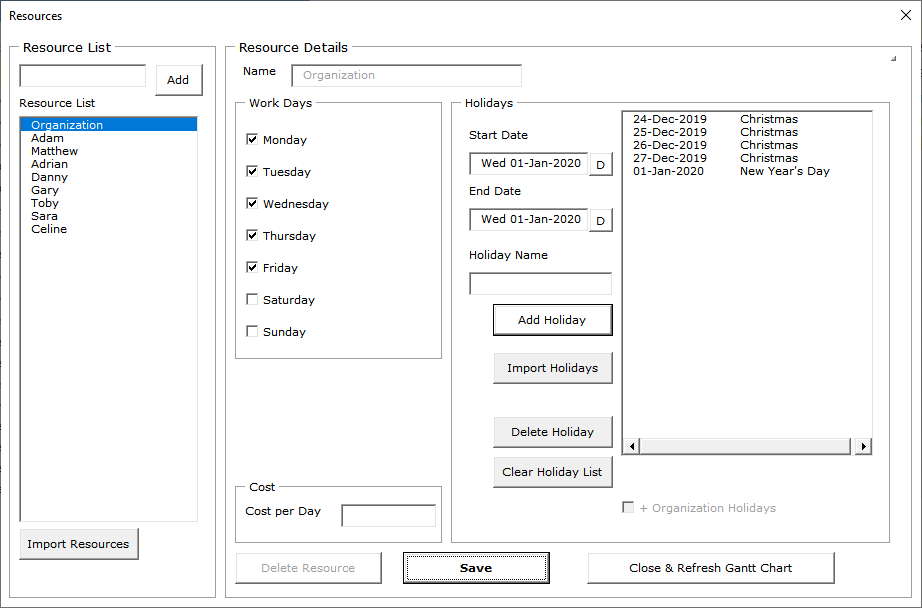
Assign people to tasks and set their holidays and non-working days. Due dates are worked out around them. See Resources.
Break big tasks into steps
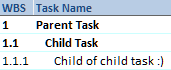
If a task is too big for one person, make subtasks under it. Dates and progress roll up to the parent. See parent and child tasks.
Daily or hourly
Choose the Daily version for work measured in days, or the Hourly version for a busy day, an event or a shift.
Track costs if you need to
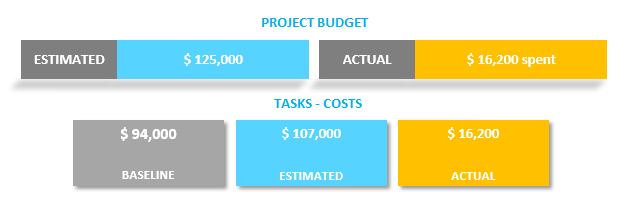
Turn on costs and the list doubles as a budget and expenses tracker for a project. See Project Costs.
Export and share
Export the list to PDF or XLSX to share it with people who do not use the template.
Works in Microsoft Excel 2007, 2010, 2013, 2016 and 2019 on Windows, Excel 2016 and 2019 on Mac, and every version of Excel in Microsoft 365.
Download the to-do list freeFrom to-do list to project plan
When tasks start depending on each other, a list is no longer enough. Our task management guide explains when to move from a list to a schedule, and Gantt Excel is the free Gantt chart template for that next step.