Task Excel: free task tracker template for Excel
Track simple to-do lists or full projects in Excel. Assign owners, set dates around holidays, track costs and see progress on a dashboard, all from a ribbon tab instead of formulas.
Excel 2007–2019 on Windows · Excel 2016–2019 on Mac · Microsoft 365
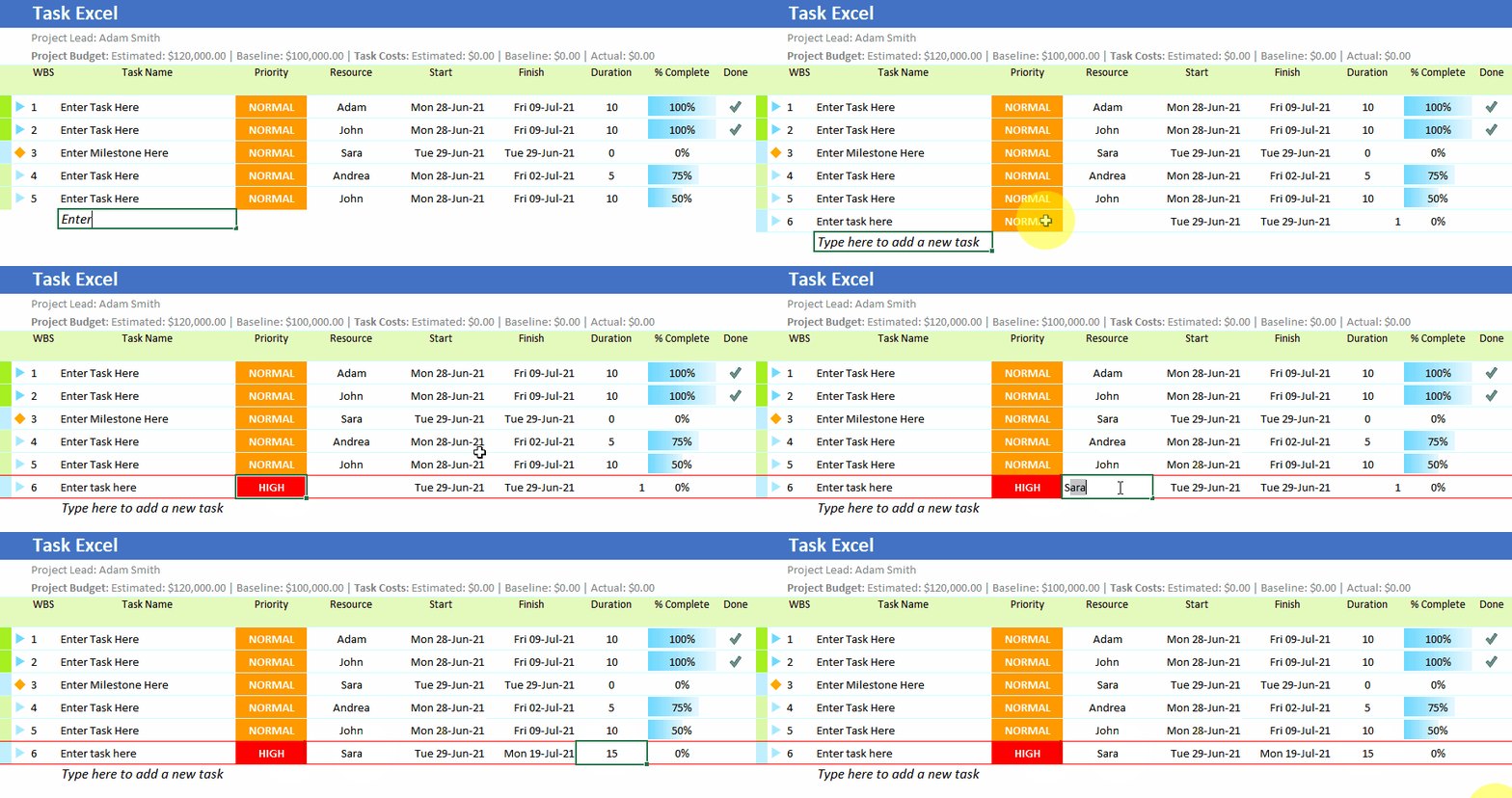
A task tracker that does the bookkeeping
Most task lists in Excel are a table you maintain by hand. Task Excel keeps the table for you. Type a task in the last row and it is added, numbered and dated. Mark it done with a double-click. End dates are worked out around weekends and holidays.
It gives you a starting point you can use again and again, so you never rebuild a plan from scratch when you need to assign people or track progress.
- Tasks and milestones with automatic WBS numbering
- Resources with their own workdays and holidays
- Estimated, baseline and actual dates and costs
- A project dashboard for completion and budget

Features
Everything is a button on the ribbon


Plan in days or in hours
Two versions. Pick the one that matches how you schedule.
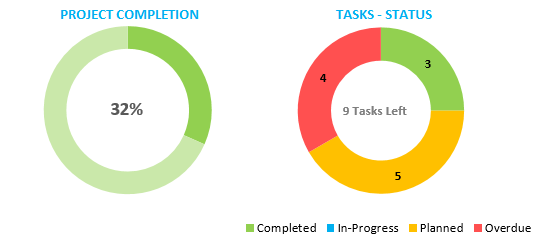
Project dashboard
A free add-on that shows completion and budget at a glance.
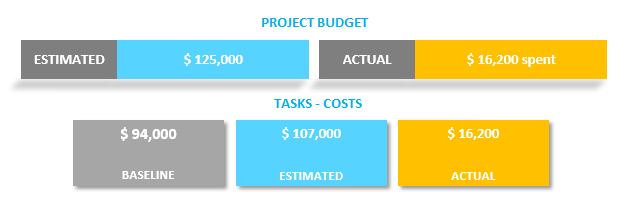
Track project costs
Doubles as a budget and expenses template, with estimated, baseline and actual costs.
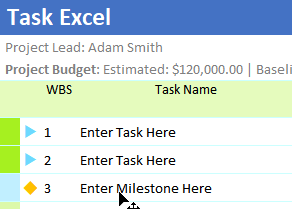
Milestones
Mark the dates that matter alongside your tasks.
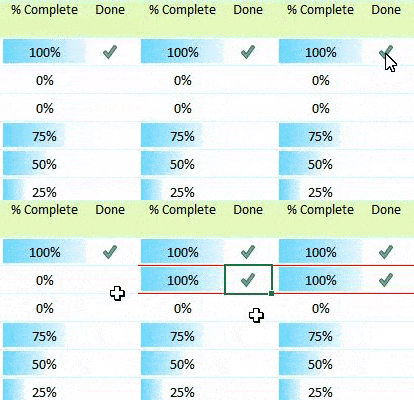
One-click done
Double-click the Done cell to mark a task complete.
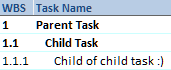
Parent & child tasks
Break a large task into subtasks owned by people with different skills.
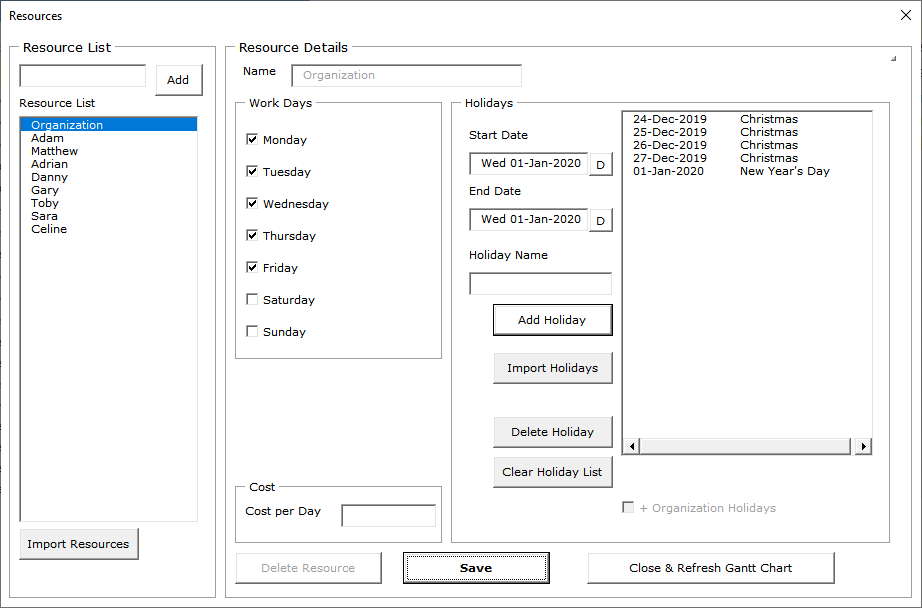
Resources and holidays
Assign people to tasks, track their cost, and set holidays and non-working days per person.
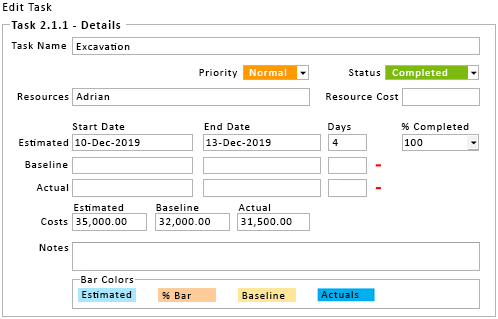
Forms, not formulas
The task form shows dates, resources and dependent tasks in one window.

Export & share
Send the plan as PDF or XLSX to colleagues and clients.
Download
Start free. Upgrade once, keep it forever.
The free Daily and Hourly versions arrive by email straight away. Pro is the licensed full version, activated with a key. Prices are in US dollars.
When a task list is not enough
If your tasks depend on each other, you need a schedule rather than a list. Gantt Excel is our Gantt chart template for Excel. It adds task dependencies, a critical path and baselines, and draws the timeline for you. There is a free Gantt chart template to try first.